Character Creation Guide

Your OC in Roots will be a villager in one of the three established villages: Rudania, Inariko, or Vhintl. Traditionally, your character was born and raised there, as roads only opened briefly 2 years ago. Though they were closed again for several months as blight surged, they've been cleared again and are currently opened. Regardless of the race of your character, their maximum age is 300 years. Their jobs can include many things that help the villages such as herbalism, hunting, and farming, but other, more cultural options exist as well with researchers in Inariko, blacksmith in Rudania, and mask makers in Vhintl.
Overall, your character will know these key things: What was once known as malice has corrupted further into blight, a contagion that covers most of the areas outside of the three villages. There are newly arisen oracles of power, courage, and wisdom that work with dragons and sages to help keep villagers safe. Older koroks in particular will know the dragon Foras and how Foras helped them escape a blight ridden Korok Forest after the Deku Tree passed away. Many once lost locations have been reclaimed - the Inariko Library, the Eldin Mines, and the Rudania Hot Springs. New races have emerged - keatons first, then twili and mogma most recently.
Roots is a lore and mechanic rich group! Please make sure you are familiar with all the following before creating a character.
Step 1: Reservation
Use the following OC RESERVATION template image to make a reservation for your character. Once you have filled this out, post it in the #roster channel of the Discord Server.
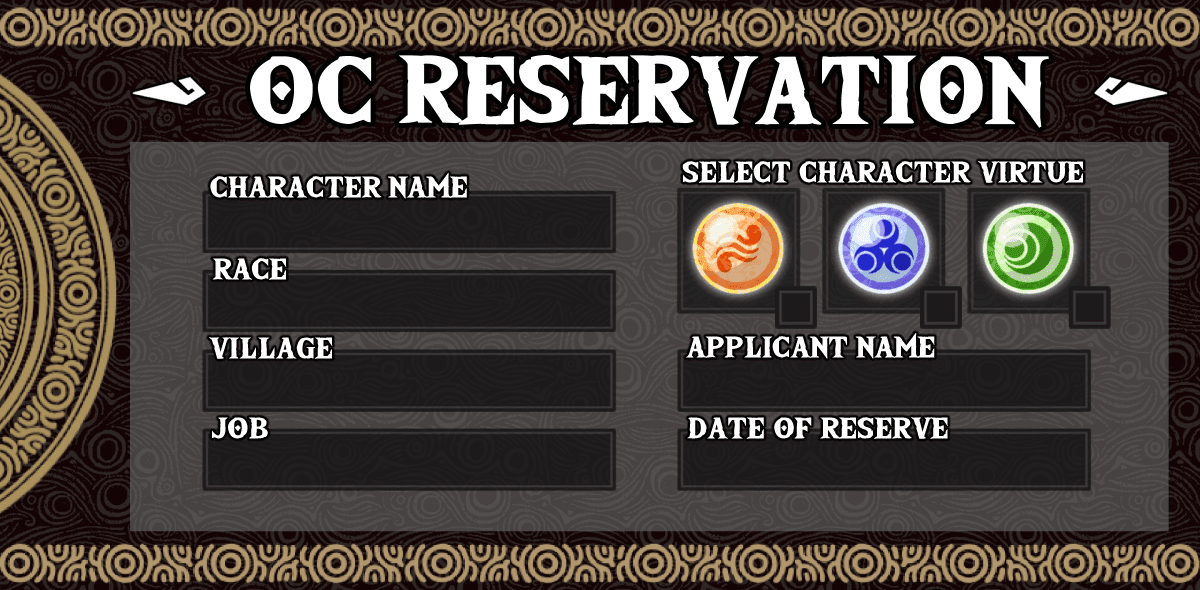
A mod will react with ✔️ if you're good to proceed, or ❌ if alterations need to be made.
Once the reservation is accepted, you can work on the application
Step 2: Application
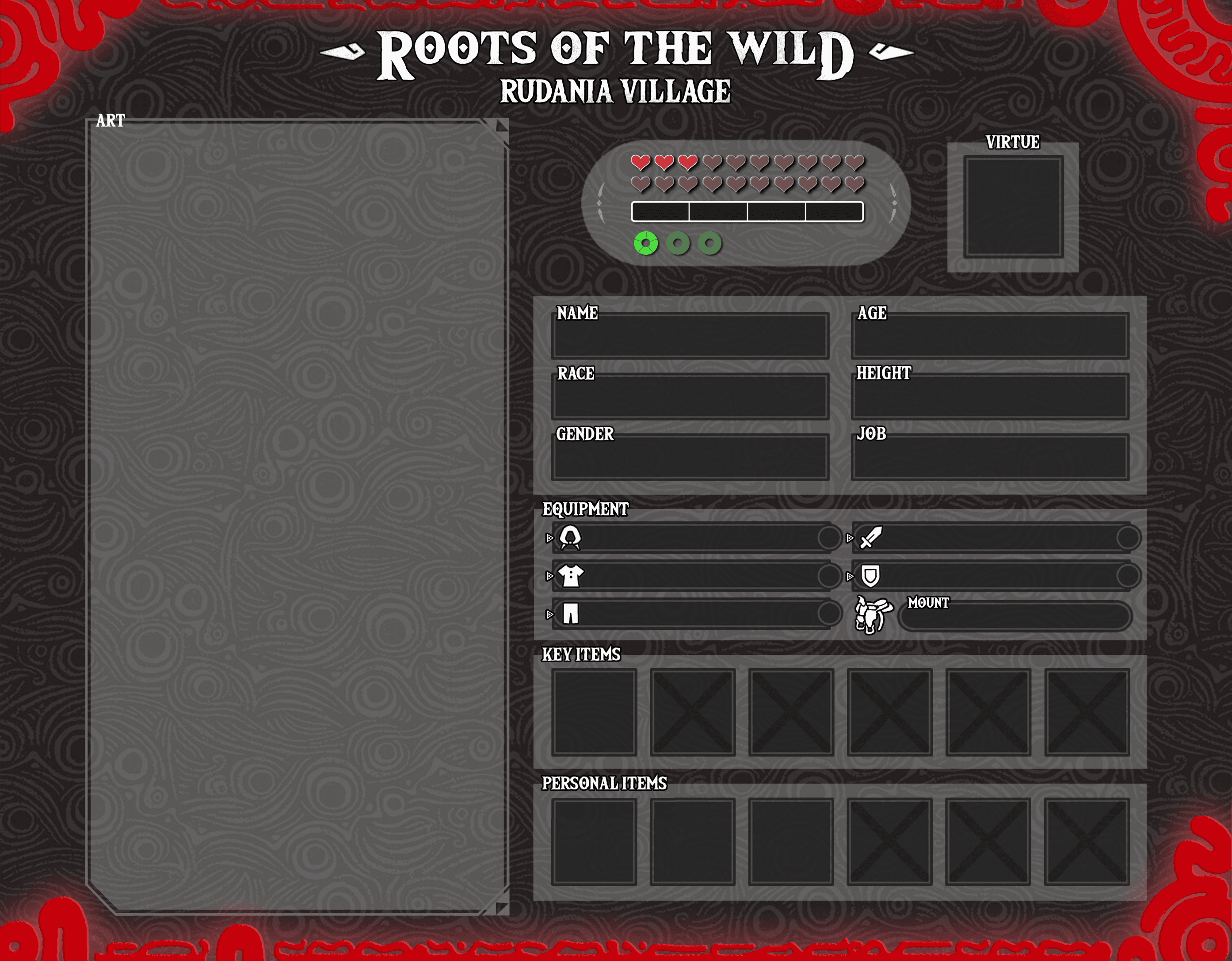
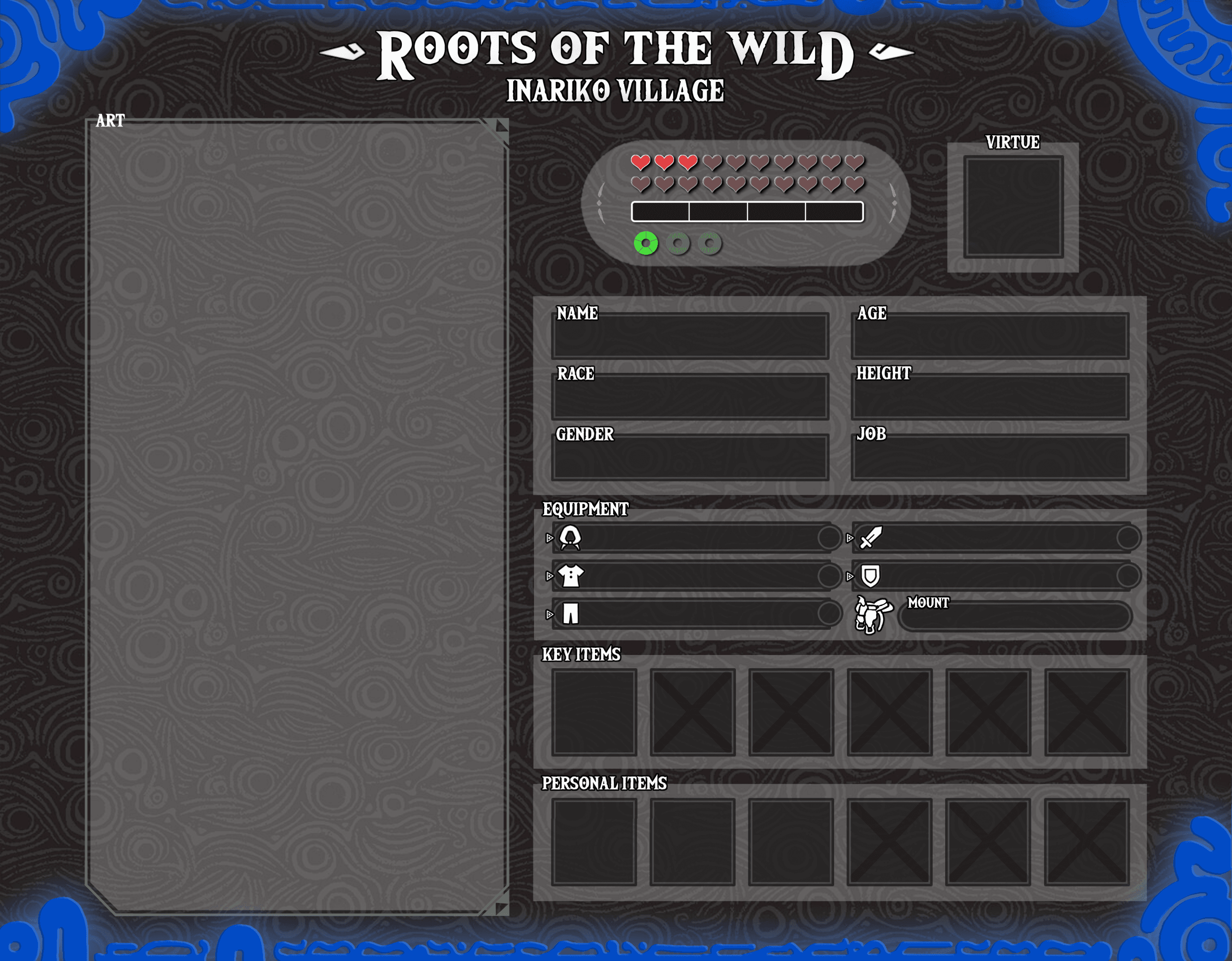
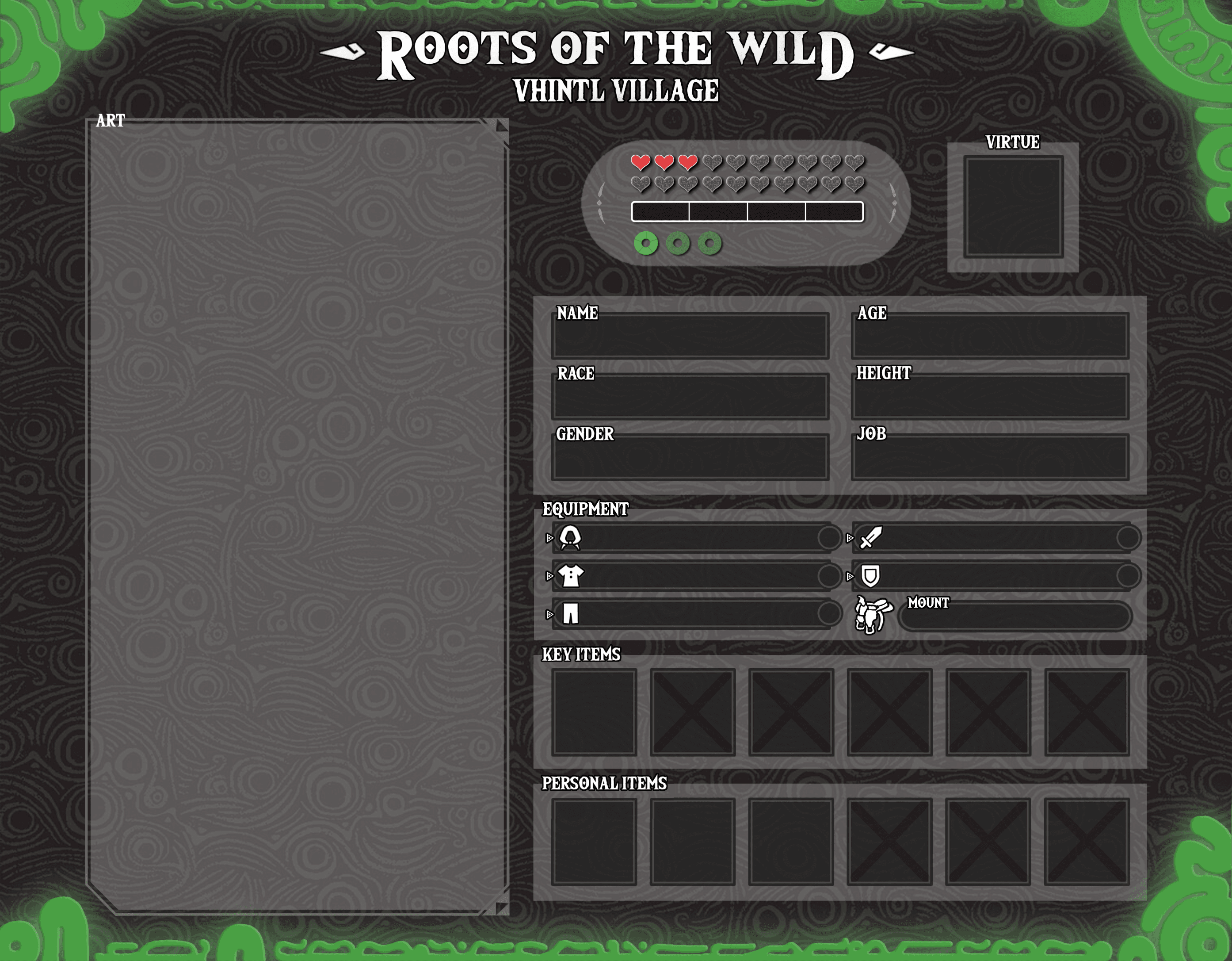
Download the village-appropriate character application below and fill it out. (Rudania, Inariko, or Vhintl)
Some of the fields are self-explanatory; like your character’s name and what village they live in.
Listed below are some explanations and instructions for other parts of the application.
NOTE: Please use a light colored, easily legible font for all write-in information on your apps!
Hearts/Magic Bar/Stamina Wheel:
While characters will be able to increase these stats through RP and Quest Rewards, all characters start with 3 hearts, 0 magic, and 1 stamina wheel! This means you don’t have to change anything in this section when you first make a character. Leave this as is!
Stamina
All characters begin with 1 stamina wheel. Each stamina wheel is divided into 5 stamina chunks 🟩. Stamina chunks are used for a variety of mechanics in the Roots universe.
Application Art
This must be a front facing full body shot of your character with, at minimum, clean lines and flat colors! You do not need to have drawn the art yourself, but it has to be specifically of your character. Art not done by you must have permission from the artist and proper credit attributed. No doll maker art will be accepted.
As this is a visual reference, we recommend drawing your character in full detail, in a pose that doesn't obscure outfit details. If your character has any essential props, including those too in ways that don't cover up your character can give your fellow group members a convenient reference for them. Finally, make use of the space provided and give us a large image of your character to see! This will make it easier for other group members who want to draw your character!
Only the character the app is for should be on it. No other characters or children! Pets may be allowed so long as they are not a main focus and do not cover any of the details on your OC's art. Kokiri/Korok Fairy Companions are also allowed!
Triforce Affiliation
(Click to open the PNG file of the Virtue symbols)



Example: "Epona" Horse (high)
(Click to open the PSD files for the applications)
Step 3: The Biography
Since not everything can fit onto the application, everyone should prepare the following information for their application submission. Since the Tinglebot Dashboard will hold all character information, it is optional, but recommended to link an external biography for your own records. Whether that’s through DA, a google doc, or some other publicly-accessible location is up to you.
Name: Your character's name; any aliases?
Race: Your character's race?
Gender: What is your character's gender? You must include their pronouns.
Age: Your character's age; for long-lived races you can also state apparent age.
Height: Your character's height; Please include both Imperial and Metric measurements. For example if your OC is 5'7", you would list 5'7" | 174cm in this space. Please be sure to include both on the visual app itself as well!
Village: The village your character is currently a resident of.
Virtue: Which virtue of the Triforce does your character attempt to embody the most?
Job: The job you have selected for your character from the list of group jobs. You can include any elaboration on how your character personalizes the job - ie. a Craftsman who's main craft is glass blowing.
Inventory: List your character's weapons, armor, and personal items that are on their app. You can add explanations for any if you like.
Personality: What type of person is your character? What are their core values, and what is their general attitude and temperament? Do different situations bring out different sides of them? Include at least five sentences!
History: What influential moments have happened in your character's backstory to make them into the person others will see in the group? You can specify if backstory information is available for other characters to know or not. Include at least five sentences!
Extras: Any random facts that you’d like to add? You can put your character's inventory doc link here if you didn't include it under the Inventory header above.
Keep in Mind
The villages are small, close knit communities no larger than places like Kakariko and Hateno in BotW.
Any mention of money or revenue should not be in your OC's info or history. Food, goods, and services are the most valuable material things to Hyrule's residents. There is no money system. The economy of Roots is strictly trade and barter based!
EXCEPTION: Twili used to use money in the form of gold coins and other precious materials in the Twilight Realm! Thus, they would know of the concept of revenue and how it works, but will have to switch to the trade and barter system while living in Hyrule.
The general tone and style of Roots is medieval like in the Zelda games. Nothing modern to the real world should be included in apps or backstories. Think LotR - super medieval fantasy.
Roots is in a post-apocalyptic setting! The world is in chaos... times are hard, and monster attacks are a common occurrence.
Visual and Written Application Checklist
After completing your app, review the information to be sure it aligns with the group's format.
Is your app text written in a light colored and easily read font?
The app text should be easy to read even when the app is viewed small in its discord image preview, without needing to zoom in.
Do you have pronouns added?
Example: If your OC's gender is female, gender section should have Female | she/her. If nonbinary, Nonbinary | they/them, etc, in whatever format you like as long as the information is there!
Do you have both imperial and metric heights listed?
Example: If your OC's height is 5'10", it should be written like 5'10" | 1.75m in whatever format you like, as long as the information is there!
Have you read the Village and Race information for your OC?
Villages + Races
Is your chosen job one of the ones available in RotW?
Jobs
Do you know how Travel works in Roots?
❌ BEFORE MAY 2020 - Travel between the three villages, and to anywhere else has been nigh impossible in-world for a thousand years.
During this time one way trips to other villages have occurred, but this is extremely dangerous and almost certain to result in death or severe injury and blighting. These one time, one way trips in an OC's past may be accepted or denied at the mod team's discretion, depending on events and believability.
✅ MAY 2020 - JANUARY 22nd 2021 - During this time (8 months in-world), the roads were temporarily open and relatively safe enough for travel.
❌JANUARY 23rd - JULY 22nd 2021 - ALL travel was impossible during this time period due to the the Blight Bloom and its lingering effects!
✅JULY 23rd 2021 - PRESENT DAY - Travel to any of the three villages is currently OPEN!
Submitting your Application
All character creation, editing, and submission is done through the Tinglebot website at https://tinglebot.xyz. This guide will walk you through the entire process from creating your character, to getting it approved.
What You Need:
A Discord account
Access to the Tinglebot website
Your character information ready (name, stats, etc.)
Let's get started!
Create Character
In the navigation menu at the top, click "Characters" (dropdown menu)
Click "Create Character". You will be taken to a character creation form.
Fill out all required fields! (see below).
Filling out the Form
Required Fields:
Name - Your character's name (must be unique, cannot be changed later)
Icon - Upload a picture of your character (required)
Age - Enter a number (e.g., 18, 27)
Height - Enter in centimeters (e.g., 160, 172.5) - it will convert to feet/inches automatically
Pronouns - Choose: she/her, he/him, they/them, or enter custom
Race - Start typing and pick from the list (Hylian, Zora, Goron, etc.)
Home Village - Pick one: Inariko, Rudania, or Vhintl
Job - Pick from the dropdown menu
Max Hearts - All characters start with 3
Max Stamina - All characters start with 5
Optional Fields:
Application Art - Upload artwork of your character (highly recommended!)
Personality - Describe your character's personality
History - Write your character's backstory
Extras - Any additional information
Starting Gear - Weapon, Shield (with 1h weapon only), Chest Armor, Leg Armor (This is. You may come in with no gear at all should you wish it.)
Application Link - No longer used but users can still link to external applications, such as Google Docs, if they wish
Please note that though Personality and History are listed under Optional, we still require some from of Personality and History for your OC. These are left Optional so members have the freedom to make use of their external character profiles without uploading text to the Dashboard. Please make use of one or the other options. You may also use both if you wish.
Saving your Work
You do not need to fill everything out and apply all in one go! You may save your work in the Dashboard and come back to it later. Click Create and Save Character, and your work will be saved as a Draft. You can come back and edit it anytime, as much as you want, until you're ready to submit!
Submitting for Review
When you're ready to submit, make sure everything is filled out.
All Required Fields must have something in them
Double-Check that your information is correct
Go to your Character's Page
After creating, you'll be taken there automatically.
You can also find it on your Profile Page
(url: https://tinglebot.xyz/characters/[your-character-name])
Click the Submit for Review Button
This button appears at the top of your character's page, and is only visible when your character is saved as a draft.
Confirm you want to Submit
This will send you a "success" message, and change your character's status to Pending.
You will no longer be able to edit your character after you submit them, unless otherwise prompted, so make extra sure you are ready before you take this step.
What Happens Next?
Your character has been submitted through Discord to the Moderators of Roots of the Wild. From here, Moderators will review your application. You will receive updates about the status of your OCs application through Discord DMs from Tinglebot, and on the Dashboard.
Understanding the Application Process
Your character can be in one of four statuses:
🟦 Draft
What it means: Your character is saved but not submitted
What you can do:
Edit most fields
Save changes
Submit for review
What you see: "Save" or "Save Changes" button, "Submit for Review" button
🟧 Pending Review
What it means: Your character is submitted and waiting for moderator votes
What you can do:
View your character (read-only)
Wait for moderator review
What you see: Status badge showing "Pending Review" with vote counts
Vote requirement: Needs 4 approve votes from moderators
🟥 Needs Changes
What it means: A moderator requested changes to your character
What you can do:
Edit your character to fix the issues
Read moderator feedback
Resubmit after making changes
What you see: "Edit Character" button, "Resubmit" button, feedback section
Note: Only 1 needs_changes vote is required to trigger this status
🟩 Approved
What it means: Your character has been approved and is now active!
What you can do:
View your character
Edit certain fields (limited editing)
Use your character in the game
What you see: Status badge showing "Approved"
Can I check the Status of my Application?
Yes! Go to Your Character Page. There, you will be able to see your current vote counts, feedback, and application status. Dashboard will also notify you about any and all updates to your application process.
If Changes are Needed
If you receive a notification that your Application requires a few changes, they can be easily made!
Check the Feedback
Go to your character page
Look for the feedback section
Read what the moderator said needs to be fixed
Edit Your Character
Click "Edit Character" button
Make the necessary changes
Click "Save Changes"
Resubmit
After saving, click "Resubmit" button
Confirm the resubmission
Your character version will increment (v1 → v2, etc.)
What Happens When Approved
Status Changes
Your character status changes to "Approved"
You receive a Discord DM notification
A message is posted in Discord announcing your approval
Next Steps
Submit your OC to the roster channel!
Go to the Roots Of The Wild 🔔》roster channel on Discord
Post your character information there to add them to the official roster
Your Character is Active
You can now use your character in the server
Limited editing is available (some fields are locked)
Your character appears in character lists
Website Links
Main Website: https://tinglebot.xyz
Create Character: https://tinglebot.xyz/character-create
Your Character Page: https://tinglebot.xyz/ocs/[character-name]
Notifications:https://tinglebot.xyz/notifications
Troubleshooting Common Issues
"I can't find my character"
Go to your Profile page on the website
Make sure you're logged in with the correct Discord account
"Submit button doesn't appear"
Make sure you've saved your character first (click "Create and Save Character")
Check that ALL required fields are filled out
Try refreshing the page
"I can't edit my character"
Draft: You can edit everything
Pending Review: Can't edit (waiting for moderators)
Needs Changes: You can edit everything
Approved: Limited editing (some fields are locked)
"I didn't get a notification"
Check your Discord DMs (make sure server members can DM you)
Check the dashboard: https://tinglebot.xyz/notifications
Check the Character Creation Channel on Discord
"I need to make changes but don't see feedback"
Go to your character page
Look for the feedback section
Check your Discord DMs for the notification
Check the notifications page on the dashboard
"I can't resubmit"
Make sure your character status says "Needs Changes"
Make sure you've saved your edits first
Try refreshing the page
Still Need Help?
Check the notifications page on the dashboard
Check your Discord DMs
Ask in the Discord server
Contact roots.admin
Remember: It's OK to ask questions! We're here to help!
Acceptance
When your OC's app has been approved, you will receive a DM from Tinglebot informing you of the update to your application process, as well as a ping in the #sheikah-slate channel. Check the Tinglebot Dashboard to ensure that your OC has been accepted, and then return to the server to complete your final steps.
Delete your Reservation from 🔔》#roster and upload your completed character app.
▹ To do this, drag and drop your app image file into the discord window, and include the following filled-out text in the image post:
OC Name | Race | Village | Virtue | Job <Link to OC App (if you made one)>
▹ Make sure to put the link inside <>, and please only make a single post.
Please Remember To…
Return to 🔔》#intro after acceptance and add in the link to your OC's app!
Then head over to 🔔》#roles and follow the instructions to choose your own pronouns.
Lastly, make sure to arrange your server nickname as follows:
Your Nickname | OC Name(s)
Eg. Tingle \ Link Zelda Ganon
Exact formatting can vary, but your nickname must come first followed by your OC names!
▹ This doesn't need to list all of your OCs. If you have several, you could just choose one or two you use the most to include!
How to Safely Retire a Character and Free Up a Character Slot
If you want to remove a character from your roster and reclaim their slot for a new character, follow these steps carefully to avoid losing any items:
Step 1: Transfer All Items
Before deleting your character, you must transfer all their items to another character you own.
You have two options:
————————————————
A. Transfer Items in Batches
Use the /economy transfer command to move specific items in small batches.
This is useful if you only want to move certain items or split them between multiple characters.
————————————————
B. Transfer All Items at Once
Use the /transfer-all command to move all items from one character to another in a single action.
Note: /transfer-all will transfer every item from the source character to the target character.
You cannot select individual items with this command.
Important:
Do not delete your character before transferring items!
Deleting a character without transferring their items will result in permanent loss of those items.
————————————————
Step 2: Delete the Character
Once you have confirmed that all items have been transferred:
Use the /character delete command to remove the character from your roster.
This action is irreversible! Double-check that you have moved everything you want to keep.
————————————————
Step 3: Slot Refunded
After deletion, your character slot will be refunded.
You can now create a new character using the freed slot.
————————————————
⚠️ Warnings & Best Practices
Deleting a character is permanent. There is no way to recover a deleted character or their items if you skip the transfer step.
Always double-check your inventories before deleting.
If you’re unsure, use /economy transfer for more control, or /transfer-all for a full move.
Equipped items must be unequipped before using /transfer-all.
About the /character delete Command
The /character delete command is used to permanently remove a character from your roster and free up a character slot for future use.
What This Command Does
Permanently deletes the selected character from your account.
Removes all character data from the system, including stats, progress, and inventory.
Refunds your character slot, allowing you to create a new character.
——————————-
Important Warnings
This action is irreversible.
Once you delete a character, there is no way to recover them or their items.
There is no moderator approval or recovery.
The command executes immediately—no mod can restore a deleted character.
Double-check before deleting!
Make absolutely sure you have transferred all items you want to keep (see instructions above).
Do not use this command unless you are 100% certain.
If you delete the wrong character or forget to transfer items, mods will not be able to help you recover them.
——————————-
Best Practices Before Deleting
Transfer all items to another character you own using
/economy transferor/transfer-all.Review your character’s inventory to ensure nothing important is left behind.
Confirm you are deleting the correct character.
Editing Your Character
🔧 How Editing Your Character Works
All character editing must be done through the Tinglebot Dashboard! But please keep in mind, there are only limited fields that may be edited after approval.
📋 What You Can Edit
Height (In centimeters)
Pronouns
Icon
Personality
History
Extras
Gender
Virtue
appLink
appArt
Birthday
⚠️ No other fields can be edited. When creating your character be certain of things that cannot be changed, like Names or Age.
Character Slots
Every member starts with TWO character slots. The FIRST character you make will be considered your MAIN character, which determines which village role you’ll have in the Discord server. If you fill up those two character slots fast, don’t worry! There are a number of ways to earn more, with there being no limit on the total number of characters you can have. If you have a free slot, you can make another character!
Note: For most things, there’s no difference between how your characters are handled. You can level any or all of your characters higher than your main, and all characters can participate in any RotW event!
Events/Quests
Participating in Quest Month events, as well as any other mod or member-run special event or quest, is the best way to gain character slots in Roots!
For every 10 events/quests you successfully complete in the group, you will be eligible for +1 character slot! Completed Hard Mode Group Memes count to this total!
Make sure you are keeping track of your successfully completed events by recording them wherever is convenient for you! To get your slot, use the command /quest-turnin in the #sheikah-slate channel, and you may then redeem your character slot!
Referrals
If you’re an existing member in our Discord channel with an accepted character in, you can get additional character slots by referring friends to RotW!
Member referrals for character slots may only be redeemed 3 months after the referred member has become a full member and must pass their first activity check!
When the group is Invite Only, invites are single use and will be associated with your account. This is so we can confirm that they entered through you. Once that person has a finished application that has been accepted into the group, you’re awarded an extra character slot!
But don't worry, even when the group is publicly open, referrals still work! Just DM the Roots.Admin account to let us know who you've invited in, and the normal referral rules still apply.
Members must DM the Roots.Admin account once the referred persons have become a full member to earn the character slot.
You may now also handle referrals through the Tinglebot Dashboard! You will receive a single-use invite that you can then pass on to your friend.
Tracking your Character Slots
Tinglebot will store all character slots in your possession as they are awarded to you. You will not be able to make a character without a free character slot.
And Remember: You MUST DM Roots.Admin to gain character slots at the present time.
Selling Character Slots
As of 7/5/2023 members can sell their character slots. These transactions are handled via the Shops page. Slots can be bought for 3000 tokens and sold for 750 tokens.
Character Slot Vouchers
f you have a Character Slot Voucher in your inventory, you can use it to gain additional character slots! Here's how:
Using Character Slot Vouchers
Obtain a Character Slot Voucher - These can be purchased from vending or obtained through various events
Use the /item command - Select any of your characters and use the voucher through them
Add to your slot count - The voucher will be consumed and add 1 character slot to your account
Important Notes:
Slots are added to your account - The character slot is added to your user account, not tied to the specific character
Multiple vouchers at once - You can use multiple Character Slot Vouchers in a single command
No character limit - There's no limit to how many character slots you can have through vouchers
How It Works:
When you use a Character Slot Voucher, Tinglebot will:
Remove the voucher from your character's inventory
Add the character slot to your user account
Show you a confirmation with your new total slot count
Log the usage in your inventory tracking
Retiring Characters
What to do if you don't want a character anymore and want to turn them into an NPC, or remove them from the world entirely
Please see instructions above regarding tranferring and deleting characters.
NPCs
Non-Player Characters are supplemental characters who are used to prop up your Player Character. An NPC has to be attached to an apped PC. They must be accepted into the group before you can start using them alongside the PC they are attached to.
NPCs don't have the same privileges and available actions as PCs. They cannot participate in Quest and Event month activities, and can only participate in non-event RPs if the PC they are attached to is in the RP and the NPC is playing a secondary, supplemental role for that character.
NPCs cannot do activities that involve group mechanics - they cannot be outfitted with weapons and armor like player characters, they cannot have an Inventory, cannot have a mount, and they cannot have official group Jobs like PCs can.
They don't have stats and can't gain heart containers, stamina wheels or a magic meter.
NPCs cannot travel between villages.
NPCs should have very minimal development - they shouldn't take the spotlight away from your own or anyone else's PCs. Please refrain from using them in Question-of-the-Day things, doing RPs that center on them, etc.
NPCS are not added to the bot.
If you find these rules too restrictive, then your NPC is actually a PC and should go on an official PC app!
NPC apps do require some minimum information, either in a doc, slides or other place of access just like OC apps. While order of presentation can vary, an NPC's bio should still have the following basics
Name: NPC's name. Any aliases?
Race: NPC's race?
Personality: What type of person is this NPC? What is their general attitude and temperament?
History: Basic history
Extras: Any random facts that you’d like to add, or that the mods should be aware of for approval?
Associated OC & Connection: Example - if they're your OC's cousin, say 'OCName's Cousin'
Link to Associated OC's App: Optional